Many people watch TV shows, movies, documentaries, and games on streaing services, and lots of people to download movies and TV series to watch offline on computer, mobile phones or other devices. To help users solve streaming video offline issues on PC and Mac offline, the iMovieTool has released a professional All-in-One Video Downloader to help users download streaming videos on computer to view offline. This launch responds to long-standing user demand for watching videos offline on a bigger screen, delivering a more flexible and convenient viewing experience. Even if they cancel their streaming subscription, they can still keep their movies downloads playable and enjoy anywhere.
A Brief Introduction to About iMovieTool Video Downloader
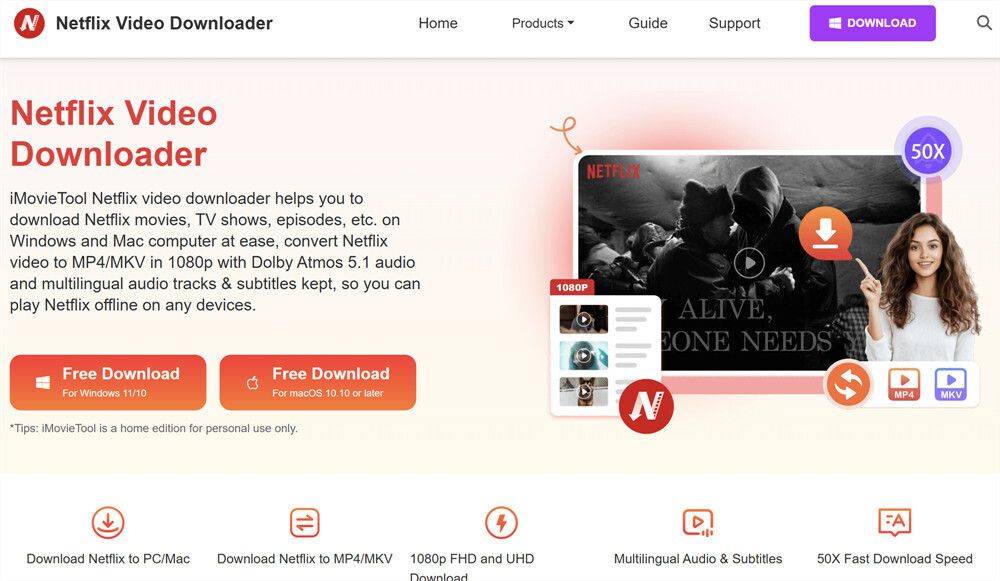
iMovieTool Video Downloader is a professional video downloader for users to save movies and series to computer for offline viewing, this tool is different from the traditional ways of screen recording. iMovieTool is a well-enhanced video downloader, helping users easily to download and watch movies on Mac and Windows computer, and convert streaming videos to MP4 or MKV formats in 1080P, as well as preserving 5.1 surround sound and Dolby Atmos audio quality. Only 3 steps, you are able to download streaming videos to computer. The downloaded movies and episodes are saved as local MP4/MKV files in 1080P, so that you can transfer them to any device, USB drive, external hard drive and watch them offline.
iMovieTool lets you download TV shows, movies and original content on your iMac, MacBook, Windows PC or laptop without restrictions. This tool gives you the flexibility to watch videos offline on your computer or transfer them to other devices for flexible playback, with no expiration limits.
What Makes iMovieTool Video Downloader Stand Out?
As we all know, there is no Netflix desktop app for Mac, and the Netflix Windows version app has removed the offline feature, so even though paid users cannot download videos to offline viewing on computer.
When it comes to downloading movies and TV shows, iMovieTool Video Downloader delivers outstanding performance that surpasses many other tools on the market. Beyond being a powerful downloader, it also functions as a reliable alternative to the Netflix app. Here's why it's a top pick:
#1. MP4 and MKV Output with HD Video Quality: The software enables users to download videos MP4 or MKV format with HD video quality. Plus, it preserves the original audio tracks and supports Dolby 5.1 surround sound, allowing users to enjoy a theater-like offline viewing experience.
#2. Built-in Web Browser: iMovieTool Video Downloader features a built-in web browser. So, you can log in your account directly within the software, browse the entire video library, search for titles, and download videos without installing any app.
#3. Block Ads: Whether you're a Basic or Premium subscriber, iMovieTool helps you remove ads and download movies on laptop without interruptions. Enjoy a smooth and uninterrupted offline viewing experience anytime.
#4. Batch Download at 50X Speed: With advanced hardware acceleration technology, this All-in-One Video Downloader can download multiple movies and entire TV series simultaneously at up to 50X faster speed. So you can get all your favorite movies and shows in no time!
#5. Flexible Audio & Subtitle Settings: Non Englisher? iMovieTool preserves original audio tracks and subtitles in multiple languages. It also offers three subtitle options: soft subtitles, hardcoded subtitles, and external SRT files, giving users flexible playback choices. Easily download videos in your preferred audio and subtitle language!
With iMovieTool Video Downloader, you can:
1. Download movies to laptop, computer
2.1.Keep videos forever without expiration
3. Transfer movies and TV episodes to USB drive
4. Watch videos offline on any device
5. Play videos with other media players
How to Use iMovieTool Video Downloader?
Step 1. Download and launch iMovieTool Video Downloader on your computer, log in to your account.
Step 2. Click on the Menu icon, select "Preference" option to adjust downloading settings, including video format(MP4 or MKV) , video quality(1080P to 1080P), audio language, subtitle type, etc.
Step 3. Find the movie or TV show you want to download by entering the title or pasting the video URL.
Step 4. Click "Download" icon. The software will begin downloading streaming videos to MP4 on computer.
System Requirements
iMovieTool Video Downloader is compatible with both Windows and Mac. Pre-check the system requirements below and download the corresponding version on your computer.
Windows OS
System: Windows 11/10/8.1/8/7 (32-bit & 64-bit)
CPU: Intel Core i3 or higher; AMD Athlon or faster
Hard Disk Space: 20GB or above free space
RAM: 4G or more of RAM
Mac OS
System: Mac OS X 10.11 and above
CPU: Core 2 Quad or higher
Hard Disk Space: 20GB or above free space
RAM: 4G or more of RAM
Available Pricing Plans
iMovieTool Video Downloader is available for Windows 10, 11 and macOS 10.10 or later. A free trial allows users to download the first six minute of each video, while full and unlimited downloads are unlocked with a paid license. The full version is offered as a $24.95 monthly plan, $59.95 yearly plan or an $89.95 lifetime license, both of which include regular feature updates and free technical support.
About iMovieTool
iMovieTool focuses on providing lightweight yet professional streaming video downloading software, trusted by 5.2 million users in over 150 countries. Its video downloader tools make it easier and faster to download HD movies and TV shows from all streaming services. It is the ultimate tool to unlock and manage your digital life.
Contacts
Official Website: https://www.imovietool.com/
Contact Form: https://www.imovietool.com/con...
Email: [email protected]
Visit us on social media:
Facebook: https://www.facebook.com/imovi...
Twitter: https://twitter.com/TunesBank
TikTok: https://www.tiktok.com/@tunesb...

Saturday, October 17, 2026
iMovieTool Video Downloader Officially Released: Powerful Features to Help Download Streaming Videos to MP4
Last updated Wednesday, April 8, 2026 11:51 ET , Source: Steven JeamiMovieTool All-in-One Video Downloader to help users download streaming videos to MP4 on Windows and Mac for offline viewing at ease.
New York, NY, United States, 04/08/2026 / SubmitMyPR /